WebP, JPEG or PNG: which one for Shopify
The rule fits in one sentence, but its exception matters more than the rule.
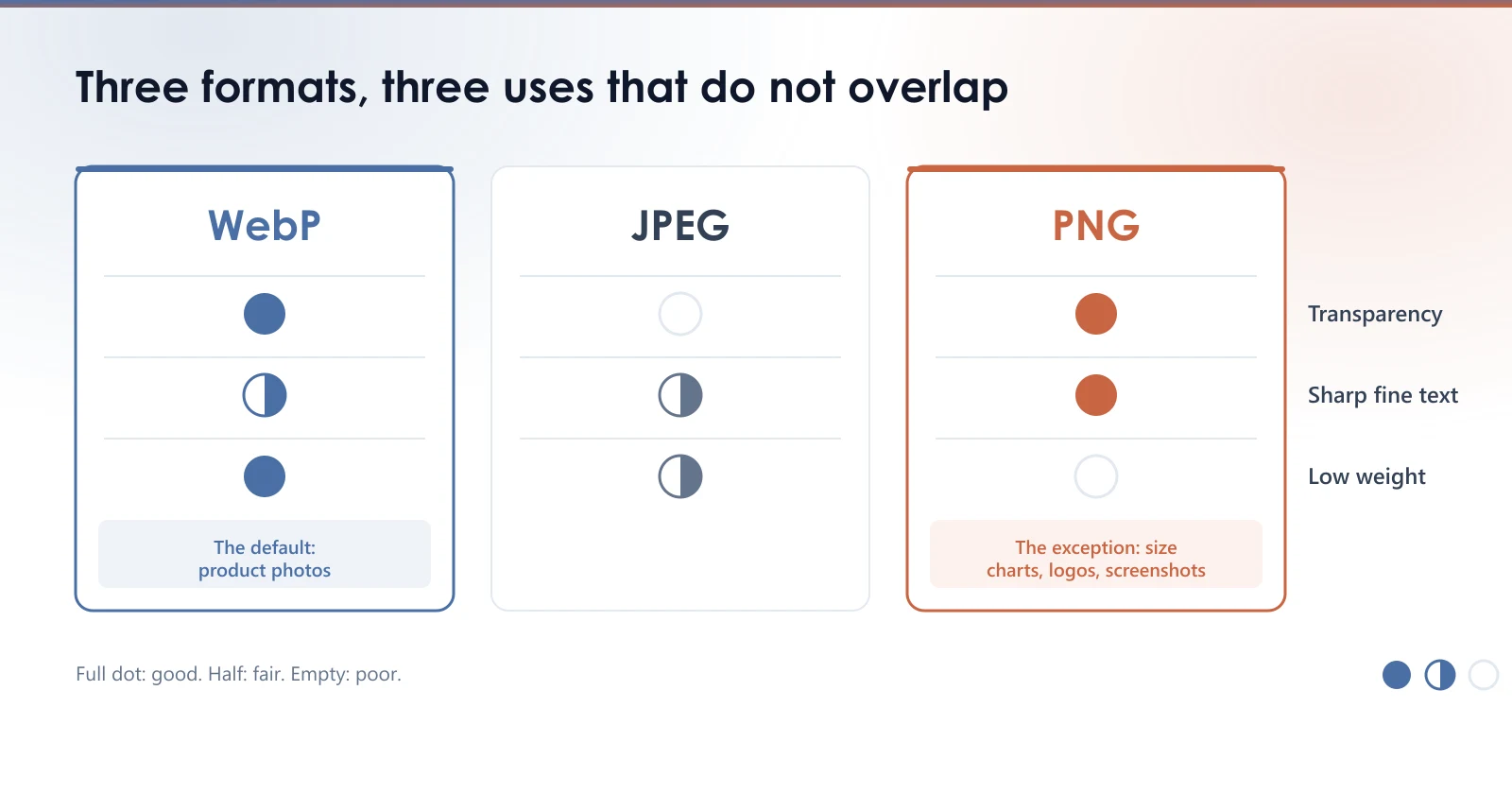
An image format is not a preference, it is a trade-off between three things: gradient smoothness, transparency handling, and file weight. Each of the three formats sacrifices one of them.
| Format | Transparency | Relative weight | When to use it |
|---|---|---|---|
| JPEG | No | Medium | Photos with no cut-out background |
| PNG | Yes | Heavy | Logos, screenshots, flat colour |
| WebP | Yes | Light | Just about everything else |
The rule
WebP by default. At equivalent perceived quality it typically weighs around 25 to 35 percent less than a JPEG, and far less than a photographic PNG. It handles transparency, which JPEG cannot.
The exception that matters
PNG remains better for anything containing fine text, crisp lines or flat areas: a logo, a size chart, a screenshot, a technical diagram.
On that kind of image, lossy compression creates a halo around edges. On a size chart it makes numbers hard to read, and that is precisely the image a buyer zooms into before ordering.
Converting a size chart to aggressive WebP saves a few dozen kilobytes and costs you an order.
What Shopify does on its own
The Shopify CDN can already serve WebP to browsers that accept it, through the format=webp parameter or content negotiation. Many recent themes use it without you doing anything.
Check it before believing an app that sells WebP conversion as its headline feature: open a product page, right-click the main image, then Open image in new tab. If the URL contains format=webp, it is already in place, and you should not pay for it.
What the CDN does not do
The CDN does not touch the source file in your library. It builds variants on the fly from your original, which stays exactly as you uploaded it.
That file is not an archiving detail. It is what weighs on your admin, your exports and any store migration, and it is the starting point of every variant served. A badly encoded 9 MB master stays a badly encoded 9 MB master, and the CDN derives variants that inherit its flaws.
The CDN always starts from your file. It can shrink it. It cannot repair it.
More importantly, it never makes the format decision. It does not know that the size chart from the previous section must stay crisp while the lifestyle photo next to it can be compressed hard. That sorting is yours, and it is the one place on this page where a tool actually changes something.
Measure your own images
The free audit reads your store and gives you the real weight of your product images, with nothing to install.
Read next
- What size should your Shopify product images beShopify resizes your images on the fly, but only from the file you upload. Here is the dimension to aim for, and why uploading bigger helps nobody.
- The filename of your Shopify product imagesShopify has no way to rename an image once it is uploaded, and a renamed image gets no redirect. What is worth fixing, and what is not.
- SEO title and meta description on a Shopify product pageShopify does not fill these two fields for you, so Google writes the snippet instead. Where to find them, what to put in them, and how to check your store in one minute.