Writing alt text that helps shoppers and search engines
Plus a technical detail most free audits get wrong when counting.
The alt attribute is read aloud by screen readers, and displayed when an image fails to load. That is its primary function. Search engines using it too is a consequence, not the goal.
That hierarchy is not a moral stance, it is operational: alt text written for a human naturally contains the right words. Alt text written for a robot reads as spam, and Google treats it that way.
Three examples
| Quality | Alt text |
|---|---|
| Useless | IMG_4471.jpg |
| Spam | leather shoe men cheap shoe quality shoe buy shoe |
| Good | Brown leather lace-up boot, three quarter view on white background |
The third describes what you would see. It carries material, colour, product type and camera angle, without repeating a keyword once too often.
The nuance most audits miss
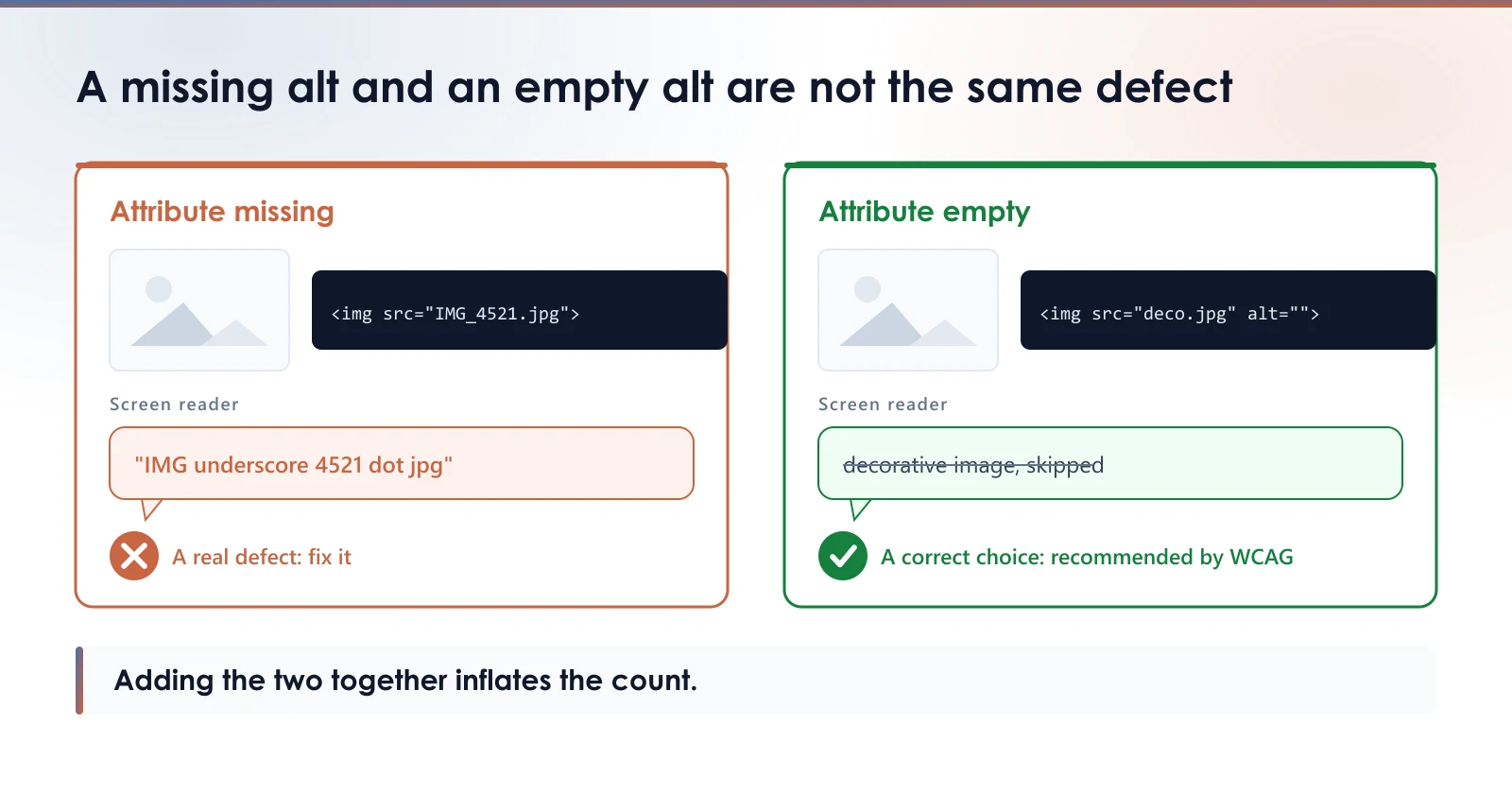
There is an important difference between an image with no alt attribute and one carrying alt="", an empty attribute.
altmissing: screen readers often announce the file name, which is useless and noisy. That is a genuine defect.alt="": this is the WCAG recommended way to mark a purely decorative image so screen readers skip it. That is a correct choice.
Checking your own store
The most reliable alt text is not the one in the page HTML, where the theme can replace it with an empty attribute. It is the media property as stored in Shopify: open the product, click an image, and read its alt text in the admin.
That is the value you entered once, which no theme can misreport on your behalf. An audit that gives you a number without looking there, only at rendered HTML, is measuring your theme's work, not yours.
Measure your own images
The free audit reads your store and gives you the real weight of your product images, with nothing to install.
Read next
- What size should your Shopify product images beShopify resizes your images on the fly, but only from the file you upload. Here is the dimension to aim for, and why uploading bigger helps nobody.
- The filename of your Shopify product imagesShopify has no way to rename an image once it is uploaded, and a renamed image gets no redirect. What is worth fixing, and what is not.
- SEO title and meta description on a Shopify product pageShopify does not fill these two fields for you, so Google writes the snippet instead. Where to find them, what to put in them, and how to check your store in one minute.